

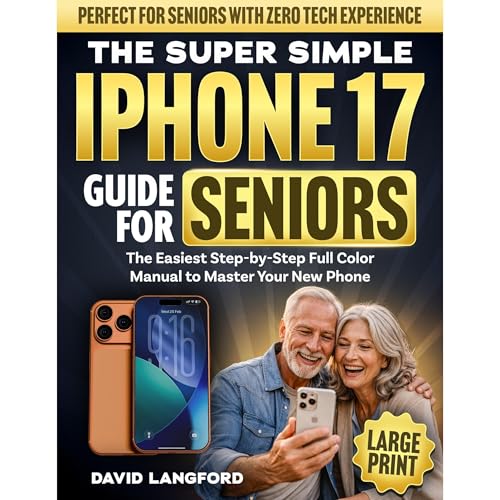
The Simple iPhone 17 Guide For Seniors
The Step-by-Step Full Color Manual to Master Your New Phone - Perfect for Seniors with Zero Tech Experience (Large Print)
No se pudo agregar al carrito
Add to Cart failed.
Error al Agregar a Lista de Deseos.
Error al eliminar de la lista de deseos.
Error al añadir a tu biblioteca
Error al seguir el podcast
Error al dejar de seguir el podcast
Obtén 30 días de Standard gratis
Compra ahora por $9.99
-
Narrado por:
-
Virtual Voice
-
De:
-
David Langford

Este título utiliza narración de voz virtual
The Super Simple iPhone 17 Guide For Seniors
The Easiest Step-By-Step Full Color Manual To Master Your New Phone With Confidence
Updated 2026 Edition — A Clear, Large-Print, Beginner-Friendly Guide Designed Specifically For Seniors With Zero Tech Experience
Finally—An iPhone Guide That Makes Sense.
No confusing jargon.
No tiny print.
No assumptions about what you “should already know.”
Just calm, patient, step-by-step instructions that walk you through your iPhone 17 slowly and clearly—so you can use it with confidence instead of frustration.
Stop Feeling Overwhelmed By Technology And Start Feeling In Control.
This guide breaks everything down into simple, manageable steps with full-color images and plain English explanations. You’ll learn exactly what to tap, where to look, and what each feature actually does—without stress or embarrassment.
Master Your iPhone 17 One Simple Step At A Time.
From turning it on for the first time to sending photos, making video calls, adjusting settings, and staying safe online—this book helps you build real confidence at your own pace.
What You’ll Discover Inside
- How to set up your iPhone 17 properly from the very first screen—without fear of “messing something up”
- The simplest way to make calls, send texts, and use FaceTime to stay connected with family and friends
- How to adjust text size, volume, brightness, and accessibility settings for comfortable everyday use
- A fully illustrated step-by-step walkthrough of the Home Screen, buttons, gestures, and essential apps
- How to take, edit, and share photos in seconds—even if you’ve never used a smartphone before
- Clear instructions for email, Safari browsing, and downloading helpful apps from the App Store
- How to avoid scams, protect your privacy, and stay safe from fraud and spam calls
- Battery-saving tips that keep your phone running longer throughout the day
- Troubleshooting made simple—what to do when something doesn’t look right or stops working
A Few Life-Changing Benefits You’ll Feel
- Confidence using your phone without constantly asking for help
- Clear, large print that’s easy on the eyes
- Freedom to video call grandchildren, share photos, and stay connected anytime
- Peace of mind knowing you’re protected from common scams
- Independence in managing everyday tasks like maps, messages, and appointments
Why This Book Is Different
- Designed specifically for seniors — Large print, full color, and extra clear instructions
- Assumes zero tech experience — Nothing is rushed or skipped
- Step-by-step visual guidance — Every action is explained simply and calmly
- Written in plain English — No technical jargon or confusing language
- Built for real life — Focused on the features seniors actually use every day
You Deserve Technology That Feels Simple
Not confusing.
Not stressful.
Not overwhelming.
Just clear, patient guidance that helps you feel capable, independent, and connected.
Scroll up & click “Add To Cart” to start mastering your iPhone 17 the simple way today.