

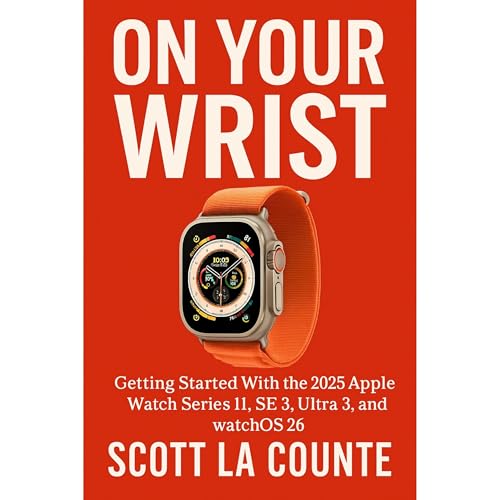
On Your Wrist
Getting Started With the 2025 Apple Watch Series 11, SE 3, Ultra 3, and watchOS 26
Failed to add items
Sorry, we are unable to add the item because your shopping cart is already at capacity.
Add to Cart failed.
Please try again later
Add to Wish List failed.
Please try again later
Remove from wishlist failed.
Please try again later
Adding to library failed
Please try again
Follow podcast failed
Please try again
Unfollow podcast failed
Please try again
Audible Standard 30-day free trial
Select 1 audiobook a month from our entire collection of titles.
Yours as long as you’re a member.
Get unlimited access to bingeable podcasts.
Standard auto renews for $8.99 a month after 30 days. Cancel anytime.

On Your Wrist
Narrated by:
Virtual Voice
Buy for $6.99
-
Narrated by:
-
Virtual Voice
-
By:
-
Scott La Counte

This title uses virtual voice narration
Virtual voice is computer-generated narration for audiobooks.
Discover the newest generation of Apple Watch — updated for 2025 & watchOS 26
In 2025, Apple unveiled its latest lineup — the Apple Watch Series 11, Ultra 3, and SE 3 — alongside watchOS 26. Together, they deliver powerful new features in health, fitness, and everyday convenience. Whether you’re upgrading from an older model or picking up your very first Apple Watch, this guide will help you unlock everything the newest devices have to offer.
What you’ll learn inside:
- Which watch is right for you — A side-by-side look at the Series 11, Ultra 3, and SE 3 so you can choose the perfect model.
- New health and safety tools — Explore hypertension alerts, sleep scores, sleep apnea notifications, wrist temperature tracking, and more advanced monitoring options.
- Battery and hardware improvements — From Ultra 3’s longer life and rugged design to SE 3’s Always-On display and faster charging.
- watchOS 26 highlights — Discover the fresh Liquid Glass design, smarter widgets, improved Smart Stack, a new Notes app, and even live translations in Messages.
- Smarter workouts — Use Workout Buddy for personalized coaching, new training metrics, and easier ways to measure intensity over time.
- Gesture controls — Learn how to silence calls, dismiss notifications, and control apps with simple wrist and finger gestures.
- Everyday essentials — Master Siri’s upgrades, Apple Pay, customization, navigation tools, and all the small features that make daily use easier.
With step-by-step instructions and helpful tips, this book makes it simple to set up your watch, personalize it, and get the very best from all the latest features.
Note: This is an unofficial guide and is not endorsed by Apple, Inc.
No reviews yet